A website can look impressive and still frustrate customers. It can also be easy to use but feel outdated or untrustworthy. This happens when a business focuses on either user interface design or user experience design instead of treating them as connected disciplines.
UI and UX solve different problems, but both influence whether customers understand your offer, complete an enquiry, purchase a product or continue using your application.
What Is UI Design?
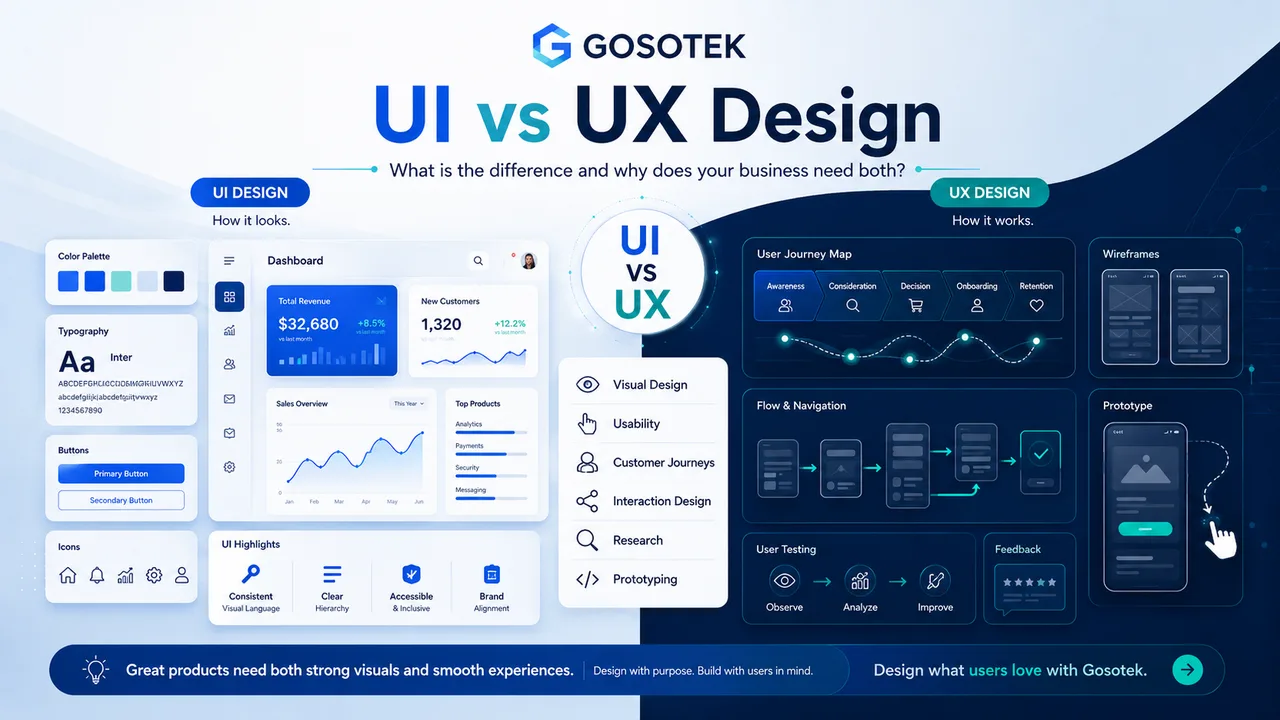
User interface, or UI, design controls how a digital product looks and responds visually. It includes colours, typography, icons, buttons, spacing, forms, images and screen layouts.
A UI designer creates a consistent visual system so users can identify what is clickable, important and actionable. Good UI is not decoration; it gives visual clarity to the experience.
What Is UX Design?
User experience, or UX, design focuses on how easily people complete a goal. It covers research, information architecture, customer journeys, navigation, interaction design, wireframes, prototypes and usability testing.
A food-ordering app may have attractive screens, but users will still leave if they cannot find items, edit their cart or understand delivery steps.
UI and UX: The Practical Difference
| Area | UI Design | UX Design |
|---|---|---|
| Focus | Appearance and visual interaction | Usability and the complete journey |
| Work | Colours, components and screen styling | Research, flows, wireframes and testing |
| Key question | Is the interface clear and consistent? | Can users complete tasks easily? |
| Business effect | Builds recognition and visual trust | Reduces friction; supports conversion |
Why Businesses Need Both
First Impressions Must Lead Somewhere
Strong visuals create confidence, but visitors also need a clear next step. A polished homepage with confusing navigation creates attention without results.
Customer Journeys Affect Conversion
UX identifies unnecessary steps and missing information. UI makes the correct path visible through hierarchy, buttons, feedback messages and consistent controls.
Research Reduces Assumptions
Business owners know their products, but customers may use different language or buying patterns. Interviews, analytics, support queries and user testing reveal what people actually need.
Prototypes Prevent Expensive Mistakes
A clickable prototype lets teams test flows before development. Changing a checkout step during prototyping is simpler than rebuilding it after launch.
Consistency Improves Confidence
When buttons, menus and forms behave differently across pages, users hesitate. A shared design system creates a predictable experience across websites and applications.
A Common Business Mistake
Many redesigns begin with colours and homepage layouts before validating navigation, content hierarchy or user tasks. The result looks new but preserves old problems.
At Gosotek, we view UI as the visible layer of a larger UX decision. We clarify business goals, customer needs and critical journeys before designing the interface.
Frequently Asked Questions
Is UI part of UX?
They overlap but remain separate specialisms. UX defines how the experience works; UI shapes how users see and interact with it.
Which comes first?
UX research, structure and flows generally come before detailed styling, although both disciplines should collaborate throughout.
Can good UI improve conversions?
Yes, when it improves clarity and calls to action. Visual changes alone cannot fix a broken journey.
Does a small website need UX research?
Research can be scaled. Even small projects benefit from interviews, analytics and basic usability checks.
When should a digital product be redesigned?
Consider redesigning when users struggle with key tasks, support requests repeat, mobile usability is weak or the interface no longer supports the business.
Conclusion
UI attracts attention and communicates the brand. UX makes the experience useful, understandable and efficient. Businesses need both to create digital products customers can trust and use confidently.