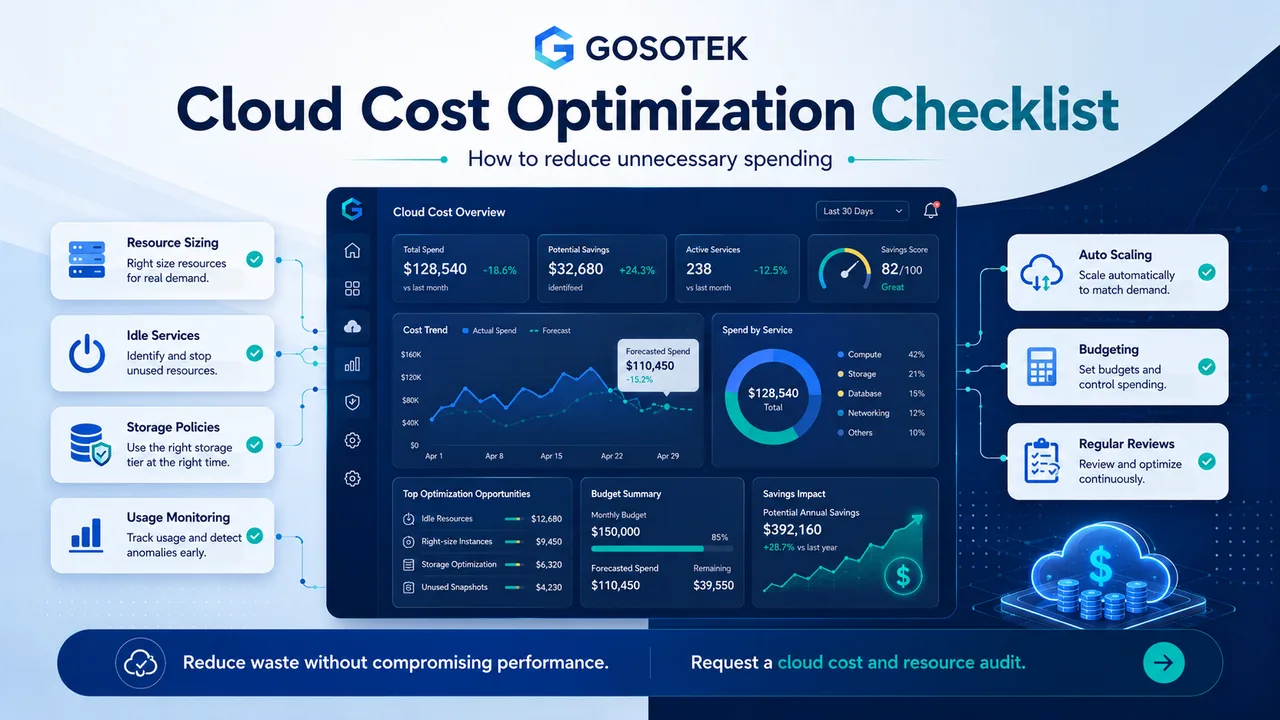
Cloud platforms make it easy to launch servers, databases and storage. That speed is valuable, but it can also leave behind oversized, idle or forgotten resources.
Cloud cost optimization is not a one-time cleanup. AWS treats “optimize over time” as an ongoing practice involving regular reviews, better service choices and removal of resources that are no longer required.
Official reference: AWS Well-Architected - Optimize Over Time
1. Right-Size Resources
Compare provisioned capacity with real usage. A server running at low CPU and memory for weeks may be larger than necessary.
Review CPU, memory, network traffic, database demand and peak periods. Consider managed or serverless services where they reduce operational work.
Do not reduce capacity without testing response time, availability and future headroom. Resource selection should reflect the performance, reliability, security and availability requirements of each workload.
Official reference: Google Cloud Architecture Framework - Optimize Resource Usage
2. Remove Idle Services
Development environments, unattached storage, old snapshots, unused load balancers and inactive databases can quietly increase spending.
Assign every resource an owner, application, environment and review date. Where practical, automatically stop development and testing systems outside working hours.
3. Improve Storage Policies
Active data, historical records, backups, logs and temporary files do not need the same storage tier.
Use lifecycle policies to move older data to lower-cost tiers or delete it after the approved retention period. Check duplicated backups and excessive log retention without weakening legal, audit or recovery requirements.
4. Monitor Usage and Budgets
A monthly invoice is too late to discover a problem. Use cost dashboards, alerts and tags to track spending by project, team, customer or environment.
Investigate unexpected increases quickly. They may come from traffic, a new deployment, data transfer, backup growth or a configuration error. Cloud cost-management platforms provide tools for cost trends, forecasting, governance and optimization recommendations.
Official reference: Google Cloud Cost Management
5. Configure Automated Scaling
Autoscaling can add resources during demand peaks and reduce them later. It works best when thresholds reflect real workload behaviour.
Test minimum and maximum capacity, cooldown periods and failure conditions. Poor scaling rules can create extra instances or unstable performance. Microsoft defines autoscaling as dynamically allocating resources as demand changes, including removing unnecessary capacity when demand declines.
Official reference: Microsoft Azure Architecture Center - Autoscaling
6. Review Pricing Commitments
Reserved capacity or committed-use discounts may help stable workloads. Flexible pricing is safer for uncertain demand.
Do not commit based on one busy month. Review historical usage, expected growth and planned architecture changes first. Discounted capacity is still waste when it remains unused. AWS and Azure both provide commitment-based options alongside flexible consumption pricing.
Official reference: AWS Pricing
7. Schedule Infrastructure Reviews
Use monthly checks for active environments and deeper quarterly reviews for architecture, storage, databases, licences, support and recovery.
| Area | Review question |
|---|---|
| Compute | Are resources correctly sized and scheduled? |
| Storage | Are retention and lifecycle rules justified? |
| Database | Is the engine, tier and capacity appropriate? |
| Network | Is data transfer creating avoidable cost? |
| Governance | Does every resource have an owner and purpose? |
Common Mistakes
Avoid deleting resources without checking dependencies, focusing only on compute, ignoring data transfer and changing capacity without performance testing.
The Gosotek Perspective
Cost optimization should connect technical usage to business value. Gosotek identifies waste, protects critical capacity and recommends changes that remain manageable as the workload grows.
FAQs
How often should cloud costs be reviewed?
Check dashboards monthly and perform deeper reviews quarterly or after major releases.
Will autoscaling always save money?
No. It helps only when rules match actual demand.
Should every workload use long-term commitments?
No. Commit where usage is stable and architecture changes are unlikely.
What costs are commonly overlooked?
Storage retention, backups, logs, data transfer, idle test systems and unused licences.
Conclusion
Effective cloud cost optimization combines rightsizing, monitoring, automation, storage policies, budgeting and repeated reviews. The objective is controlled spending without weakening reliability or user experience.